← All audiences

For member-led nonprofits

Built for the work your members already do.

Connect your member classes, the directory, committee schedules, communications, and events in a system that can move from one volunteer leadership team to the next.

The reality

What quietly costs you members.

Member-led organizations run on volunteers, committees, and steady handoffs. Shared records make it easier to keep that work moving as people and roles change.

  • Nobody can agree on who is actually a member.

    Student, lifetime, honorary, institutional. Each one becomes a tier that says what that person can do, so you stop maintaining four lists that disagree with each other.

  • A useful directory makes connection easier.

    Members can find one another using the fields your organization chooses, while controlling which profile details are visible.

  • Committee work needs a shared home.

    Keep rosters, roles, schedules, and participation records connected so a new chair can understand the group without rebuilding it from personal email threads.

  • Your annual event has its own set of rules.

    Member pricing, registration questions, capacity, forms, and optional activities all belong in the same event workflow as the attendee roster and communication.

Core workflows

Four places your team can start.

Every plan includes every module. These four support some of the most common work in a member-led organization.

Member types & access

Every class of member your bylaws recognize.

Student, regular, lifetime, honorary, institutional. Each becomes a tier, and the tier decides what that person can actually do: register for the conference, book a room, pay a program fee, update their own profile. Whatever you have not switched on is off. Someone who drifts away is marked inactive and keeps their whole history.

  • One tier per member class, named the way your bylaws name it
  • Access set one permission at a time, denied unless you allow it
  • Inactive members keep their record, their history, and their place
Member directory

Help members find the right person.

Search the directory using the fields your organization configures, such as expertise, region, graduation year, or chapter. Members can submit profile updates and choose what they share.

  • Member-controlled profile and privacy fields
  • Search by any field your members care about
  • PDF directory export on demand

Events & trips

Coordinate conferences, awards, and regional events.

Bring registration, member pricing, optional activities, required questions, payments, forms, and attendee communication into one event record.

  • Tiered pricing and member discounts
  • Attendee lists and badge information
  • Event questions and optional activities

Groups & committees

Keep board and committee records connected.

Give boards, committees, task forces, and chapters a roster, roles, and schedule. When leadership changes, the next team can see the current structure and participation history.

  • Committees, task forces, board, and chapters
  • Officer roles with terms and dates
  • Meeting schedules and participation records

For your members

Give members a useful place to return.

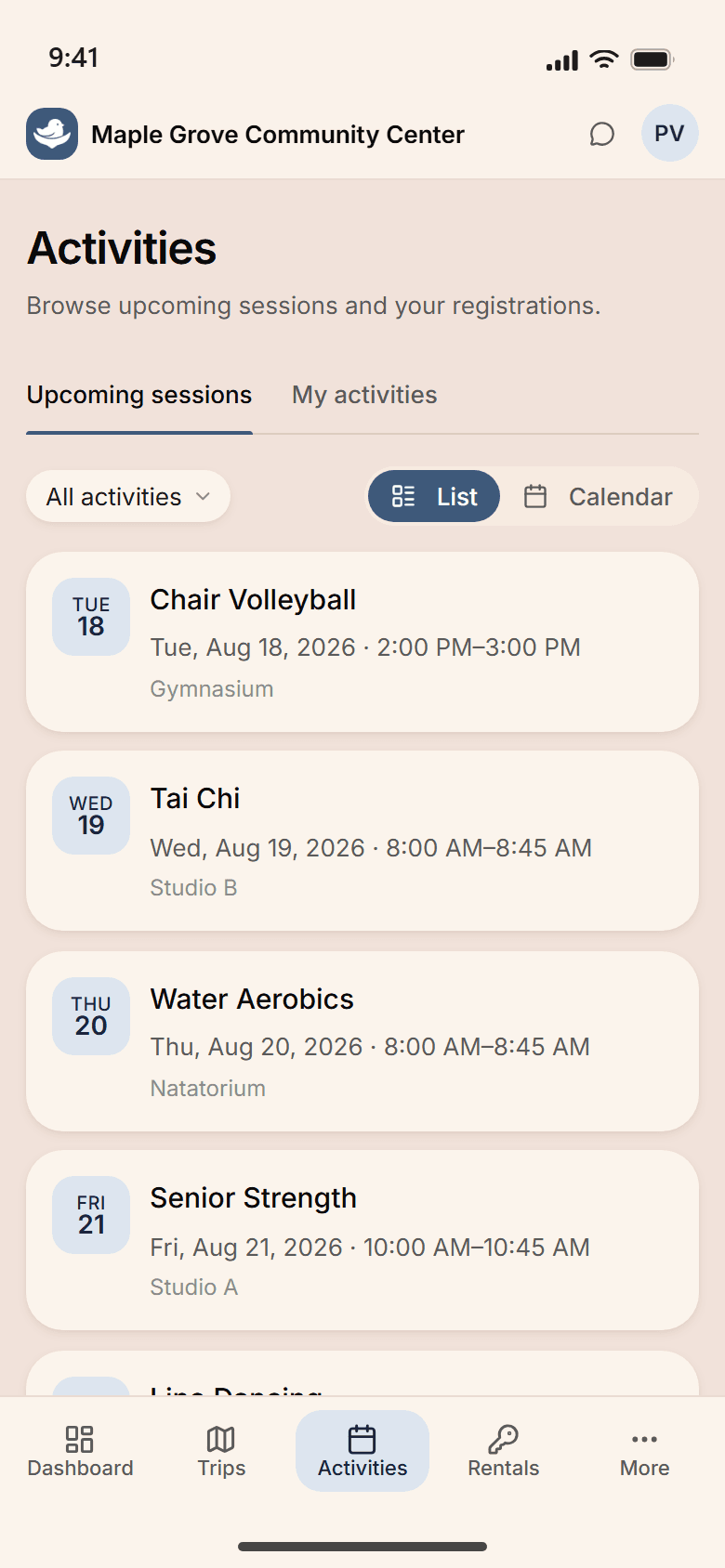
Members can submit directory updates, find colleagues, and register and pay for events in one portal. Their tier controls what they can view or change.

  • Pay a conference or program fee and find the receipt
  • Search the member directory by expertise, region, or chapter
  • Register for events and review their schedule
  • Update their profile, photo, and email preferences
The NestPoint member portal on a phone, listing the week's activities — Chair Volleyball, Tai Chi, Water Aerobics, Senior Strength — each on its own row with the day and date alongside it.

How the work connects

One record, across the organization.

Membership, committee, event, and recognition records give staff and volunteer leaders a shared source for their work.

  1. Review who joined over the weekend, what they paid for, and the organization's schedule for the week.

  2. The outgoing board chair reviews current roles and the meeting schedule with the incoming leadership team.

  3. Conference registration opens with the approved member pricing, questions, capacity, and optional activities.

  4. A chapter leader reviews the local roster and records current leadership roles and membership changes.

  5. The recognition committee reviews service milestones and leadership history before finalizing the next awards list.

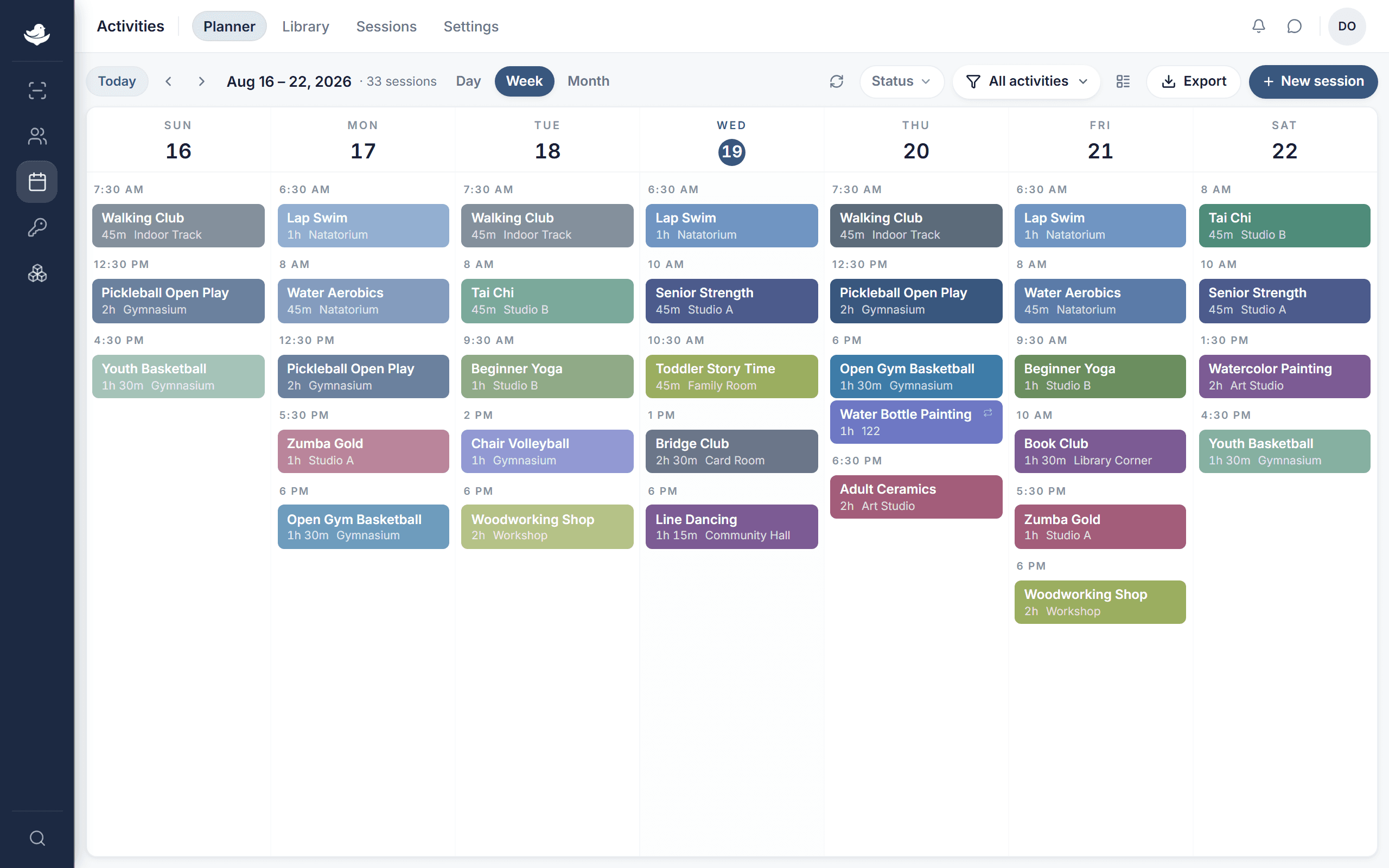
See the whole calendar

Board cycles. Committee schedules. The annual conference.

Review board meetings, committee sessions, chapter events, and the annual conference together. When plans change, staff have one current schedule to work from.

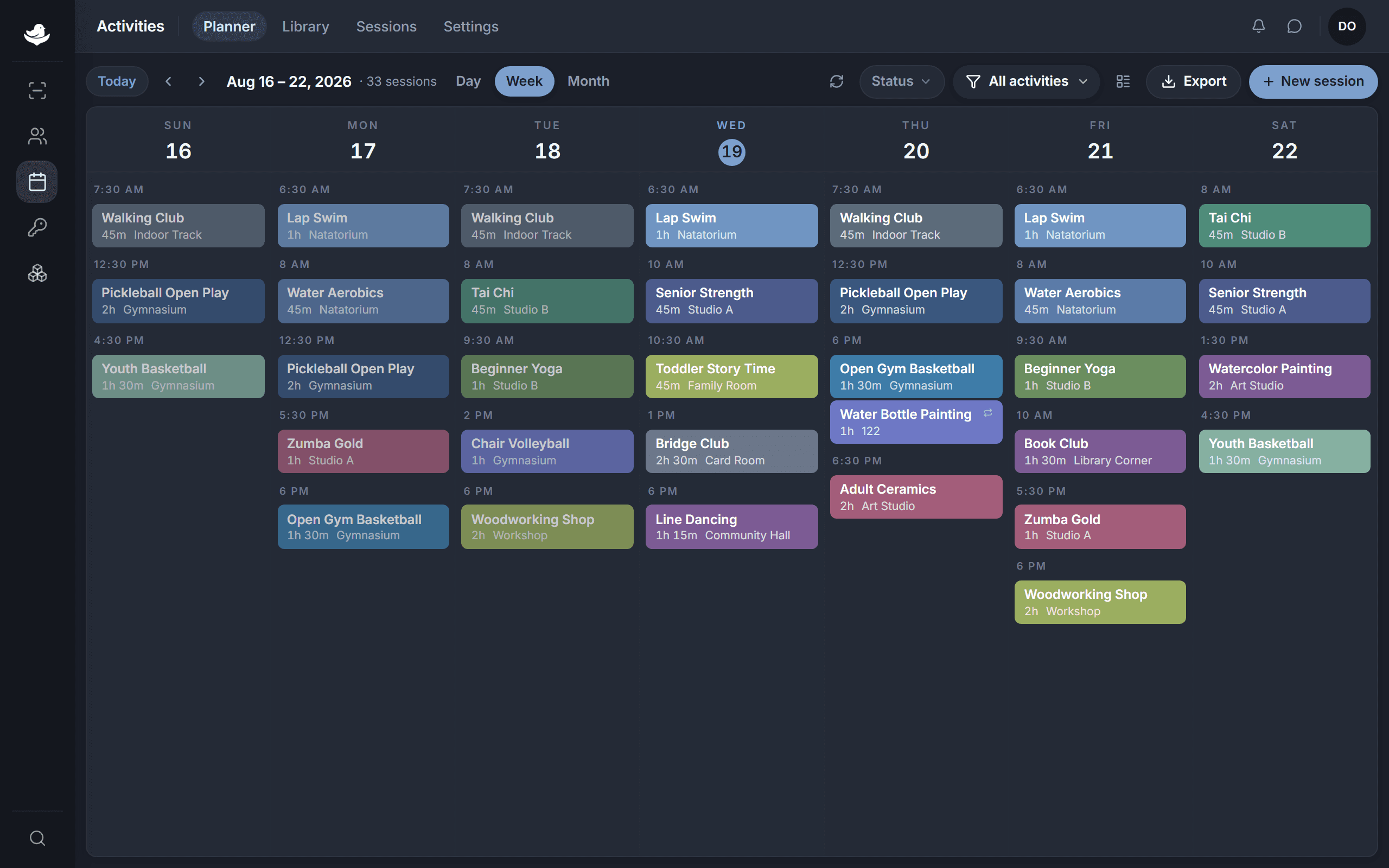
The NestPoint activities planner: a week grid of programs laid out by room and time, with conflicts and open capacity visible at a glance.The NestPoint activities planner: a week grid of programs laid out by room and time, with conflicts and open capacity visible at a glance.
  • Reuse recurring schedules

    Set patterns for board meetings, committee work, and chapter events, then adjust individual dates as plans change.

  • Conflicts caught before they happen

    Review board, committee, and event schedules together before confirming a time.

  • Reach the relevant members

    Use membership, chapter, and group information to prepare updates for the people they affect.

Customization

Your bylaws, not our assumptions.

Your tiers, committee structure, recognition program, and communication rhythm came out of your bylaws and your history. Configure NestPoint around them rather than the other way round.

  • Member tiers

    Student, regular, lifetime, honorary, institutional, or whatever your bylaws call them, each with its own permissions and its own limits.

  • Committee templates

    Create consistent starting points for standing committees, task forces, chapters, and boards, including roles, terms, and visibility settings.

  • Awards & recognition

    Track service milestones, scholarship recipients, retiring officers, and other recognition details your organization chooses.

  • Communication templates

    Newsletter, action alert, call for nominations, conference promo, board summary. Save the format and tone your association expects; send on your schedule.

Common questions

What staff and volunteer leaders ask us.

The records outlast the board that kept them.

Committees, memberships, events, and the mailing list live in one place, so next year's treasurer inherits a system instead of a folder on somebody's laptop.

Card required. Cancel anytime.