← All audiences

For senior centers

Built for the morning rush. And the Q3 packet.

Bring front desk check-in, meals, transportation, volunteer service, programs, and reporting together, with one member record at the center of the work.

The reality

Where the week goes.

A busy center asks a small team to coordinate a lot of moving parts. These are the places where connected records can help.

  • Reporting should not require a scavenger hunt.

    Meal participation, ride logs, volunteer service, and program attendance all contribute to the reports your team prepares. NestPoint keeps the underlying records together so staff spend less time reconciling spreadsheets.

  • The front desk needs to work for every shift.

    Staff and volunteers can look up a member, record a check-in, register someone for a program, and replace a badge from one clear workspace.

  • Meal teams need a reliable headcount.

    Registrations and meal check-ins give the kitchen a current count, while member records keep relevant dietary and eligibility information close at hand.

  • Recurring work should be easier the next time.

    Save useful report views, program schedules, transportation plans, and communication templates so your team has a consistent place to begin each week or quarter.

Core workflows

Four places your team can start.

Every plan includes every module. These four support some of the most common work at a senior center.

Meals

Keep meal registration and participation together.

Track congregate and home-delivered meal programs, record participation, and keep relevant dietary or eligibility details on the member record. Staff can use that same information when preparing reports.

  • Record the eligibility information your program uses
  • Keep dietary notes visible to the right staff
  • Separate congregate and home-delivered programs
Service hours

Give volunteer service a dependable record.

Schedule shifts, record check-in and check-out, and review hours before they are used in internal or funder reporting.

  • Manager review and approval
  • Optional value estimates using rates your organization enters
  • Saved views for recurring reports

Rides & transportation

Coordinate rides with member needs in view.

Plan recurring routes, assign drivers and vehicles, and keep ride history connected to each member. Mobility details are available to authorized staff while they schedule.

  • Member mobility details for schedulers
  • Driver and vehicle assignments
  • Reusable schedules for recurring routes

Front desk

Keep the front desk simple and welcoming.

Check members in by badge or name, see the programs on their schedule, register visitors, and replace lost badges without moving between separate systems.

  • Badge-scan or name lookup
  • Guest mode for visitors without a card
  • One-tap lost-card reassign

For your members

Self-service when it helps.

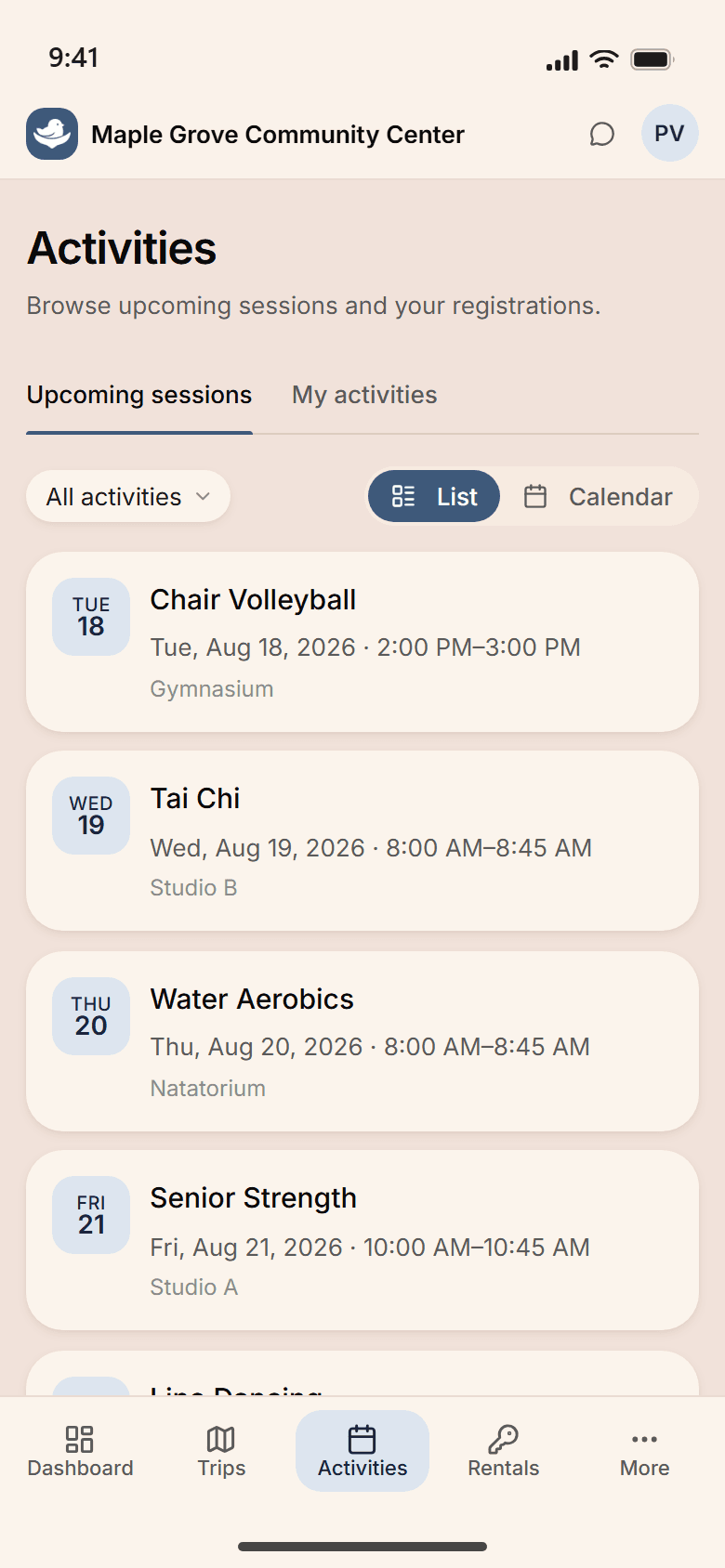
Members can sign up for programs, meals, and rides in a portal designed with clear labels and readable type. Staff can continue to help anyone who prefers to register by phone or at the desk.

  • Sign up for a class, a lunch, or a ride
  • See their own week, and the days they came
  • Set their dietary needs and where they like to sit
  • Pay the fee, and see what they have paid
The NestPoint member portal on a phone, listing the week's activities — Chair Volleyball, Tai Chi, Water Aerobics, Senior Strength — each on its own row with the day and date alongside it.

How the work connects

One record, throughout the day.

The same member and program information can support the front desk, meal team, transportation coordinator, and director.

  1. Start with current meal, transportation, volunteer, and program activity in one place.

  2. As members arrive, staff record check-ins and program attendance by badge or name.

  3. Meal staff review registrations and check-ins, then use the participation record for kitchen planning and later reporting.

  4. Program leaders review service hours, meal counts, ride activity, and attendance before preparing the reports their partners require.

  5. Before closing, staff review the next day's rosters, waitlists, transportation, and member communications.

Plan the whole week in one view

The whole week on one screen.

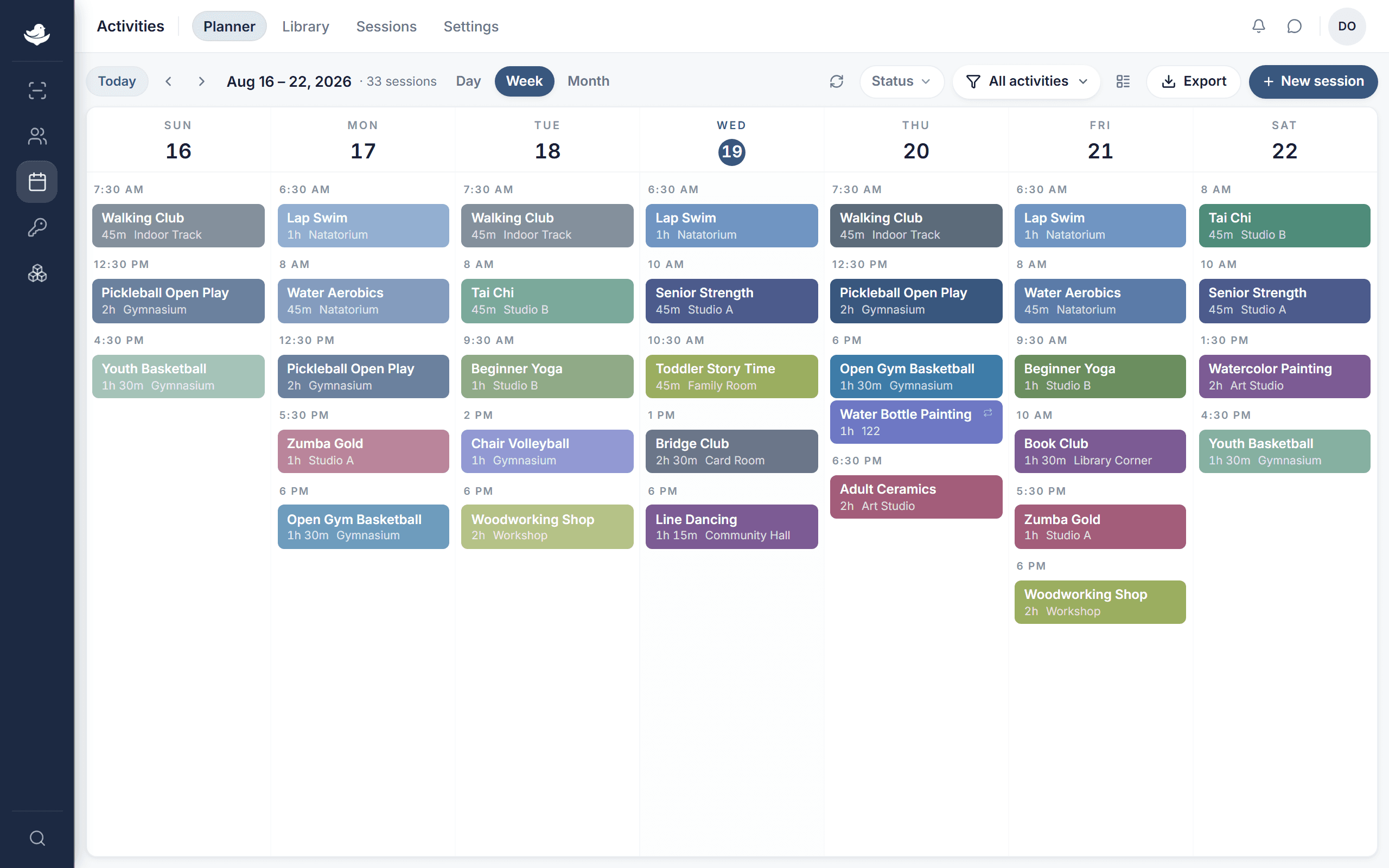
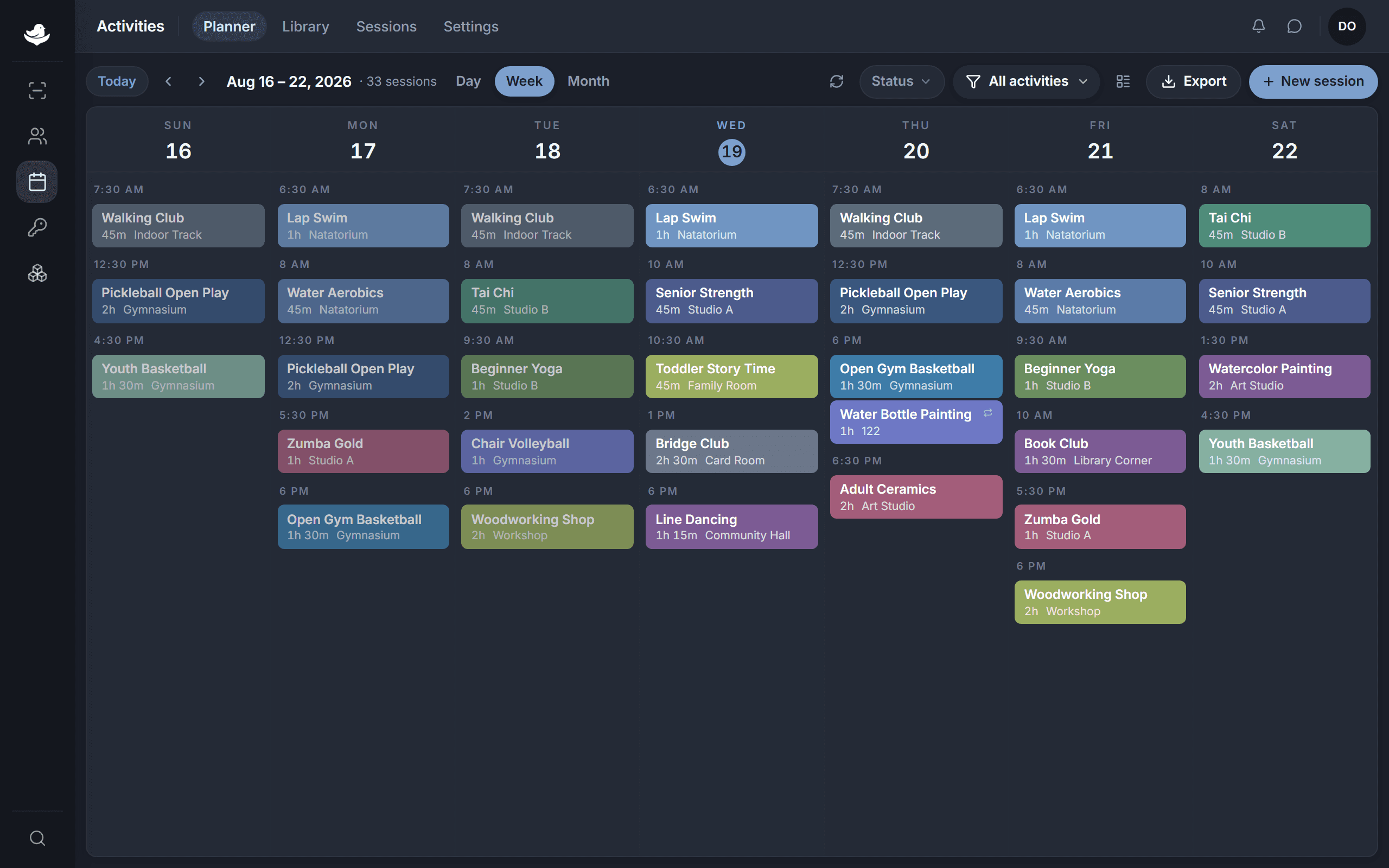
Chair yoga, the Tuesday lunch, the bus to the museum, and the room each of them is in, on one grid. Move something and the roster, the fee, and the note to members move with it.

The NestPoint activities planner: a week grid of programs laid out by room and time, with conflicts and open capacity visible at a glance.The NestPoint activities planner: a week grid of programs laid out by room and time, with conflicts and open capacity visible at a glance.
  • Reschedule in one place

    Move a program and keep its roster, room booking, and schedule connected to the updated time.

  • See scheduling conflicts early

    Review room and program schedules together before publishing the calendar.

  • Share changes clearly

    Use the updated schedule when preparing member messages, ride reminders, and front desk rosters.

Customization

Set it up the way your team already works.

Choose the member fields, program settings, reports, badges, and communication templates that fit your center. Nothing here assumes you run like the center across the county.

  • Member fields & households

    Track the information your programs use, such as eligibility details, dietary notes, mobility needs, households, and emergency contacts.

  • Badge assignment

    Connect compatible cards or fobs to member records, look people up at the desk, and reassign a lost badge. Confirm your current badge hardware with us before rollout.

  • Report packets

    Save useful views for agency, grant, and board reporting. Your team can review the underlying records and adjust the format for each recipient.

  • Communication templates

    Prepare member bulletins, ride reminders, payment receipts, and meal confirmations in clear, reusable formats.

Common questions

What senior center teams ask us.

A full Tuesday, counted as it happens.

Check-in at the door, the meal count at noon, the ride log at three. By the time the Title III report is due, the numbers are already there.

Card required. Cancel anytime.